


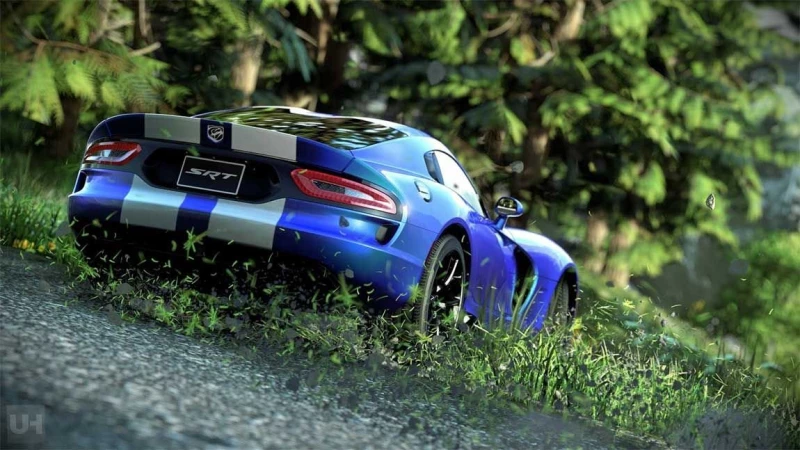
Μετά την ανακοίνωση του Replay mode του Driveclub, η Evolution Studios έδωσε στην δημοσιότητα το πρώτο του video. Όπως θα δείτε παρακάτω, δείχνει πολύ εντυπωσιακό και λειτουργεί on-the-fly, με αρκετές επιλογές όπως να κάνετε επί τόπου fast forward και rewind και να μπείτε απευθείας στο photo mode του και να τραβήξετε όμορφα screenshots.
Αυτές είναι οι λειτουργίες του Replay mode και παρακάτω θα δείτε το preview video του.
Advertisement
- You can pause, rewind and fast forward (with L2 and R2) to get straight to the best bits and relive them over and over from every camera angle.
- You only have one chance to save a replay, at the end of the event, but after doing so you can go back and watch it as many times as you like, whenever you like.
- You have 50 replay slots available to you (and each slot can hold a replay equal to or less than 10 minutes long).
- Like photo-mode, you can hide the UI and use the #PS4share button to save and share your favourite moments or races.
- Trackside cameras: fixed position cameras from spectator view points that follow the action. They are centred around the driver you have selected at any given moment in the replay (which you can change at any time).
- Vehicle cameras: fixed position cameras attached inside and outside the vehicle. You can cycle through these cameras at any time with the R1 button.
- Gameplay cameras: the six gameplay cameras you’re used to while driving (bumper, bonnet, dashboard, cockpit, near chase, far chase). You can switch between these cameras at any time with R1 and of course rotate and look-back whenever you like.
- “Replay” camera: this simply combines the 3 camera sets above and transitions seamlessly between them automatically. How it plays out is different every time.
Advertisement

Must Read

Gaming News
Έρχεται νέο μοντέλο του Nintendo Switch 2 στην Ευρώπη!
·
1

Gaming News
Έφτασε το νέο update του PS5 και βελτιώνει την απόδοση και τη σταθερότητα
·
7

Gaming News
Τα νέα παιχνίδια του Xbox Game Pass για τον Ιούνιο!

Gaming News
Ξεσπά ο δημιουργός των Ελληνικών God of War για το Laufey: «Τι σ***ά είναι αυτό;»
·
15